
What Is an Addon Domain?
An Addon Domain allows you to host an additional, completely separate website under the same cPanel account.
For example:
-
Primary domain:
example.com -
Addon domain:
example2.com
Both websites:
-
Share the same cPanel login
-
Share server resources (disk space, CPU, RAM)
-
Have separate folders, files, databases, and emails (if configured properly)
???? This is commonly used by developers, agencies, or hosting resellers who want to manage multiple sites easily.
Requirements Before Creating an Addon Domain
Before you begin, make sure:
-
You have access to cPanel
-
Your hosting plan supports addon domains
-
The domain name is already registered
-
The domain’s nameservers point to your hosting server
-
Your account has not exceeded addon domain limits
If nameservers are not set correctly, the website will not load even if the addon domain is created successfully.Step-by-Step: How to Create an Addon Domain in cPanel
Step-by-Step: How to Create an Addon Domain in cPanel
Step 1: Log in to cPanel
Access your cPanel using:
or via your hosting dashboard.
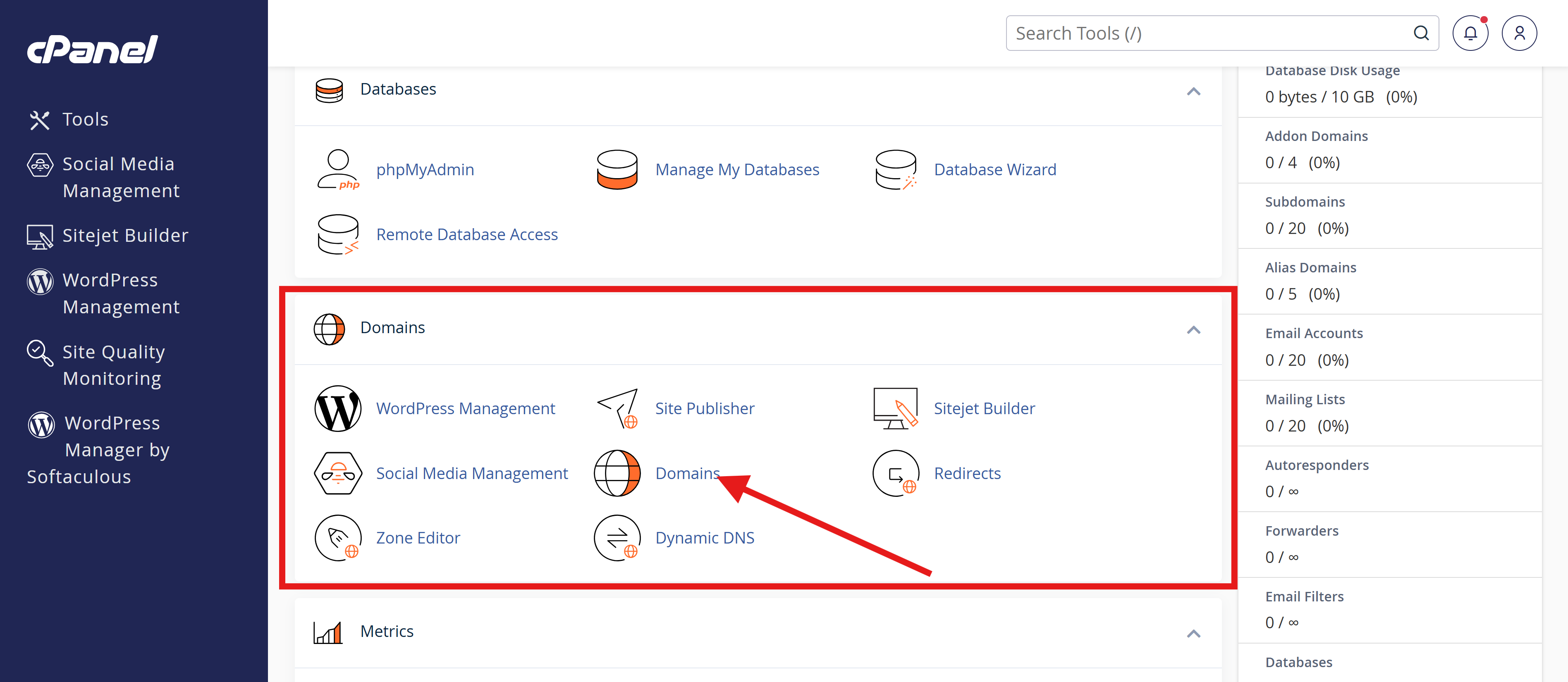
Step 2: Locate the “Domains” Section
Inside cPanel, scroll down to find Domains.
Depending on your cPanel version, you may see:
-
Addon Domains (older versions)
-
Domains (newer versions – addon domains are managed here)
Click it.
Step 3: Enter the Addon Domain Name
In the Create a New Domain or Addon Domain form:
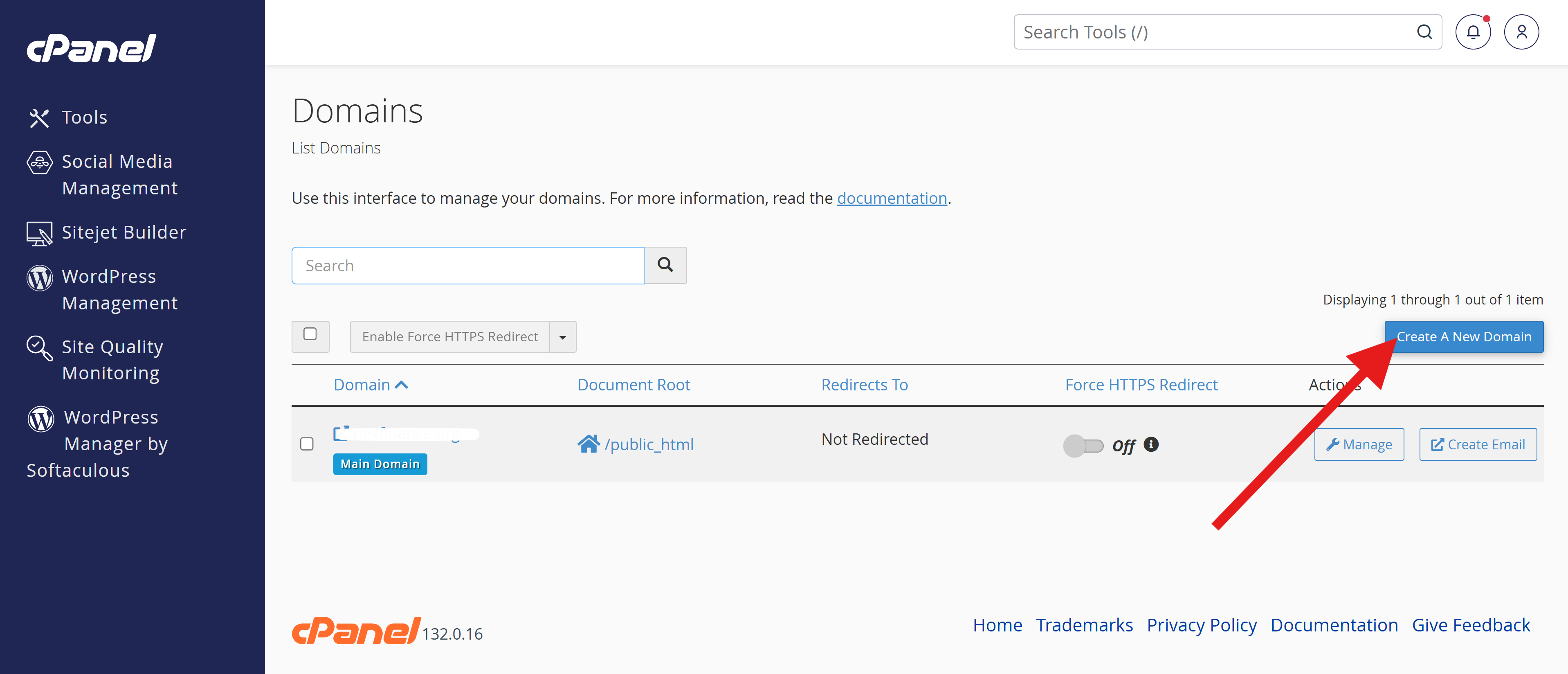
Domain:
Enter the full domain name
example2.com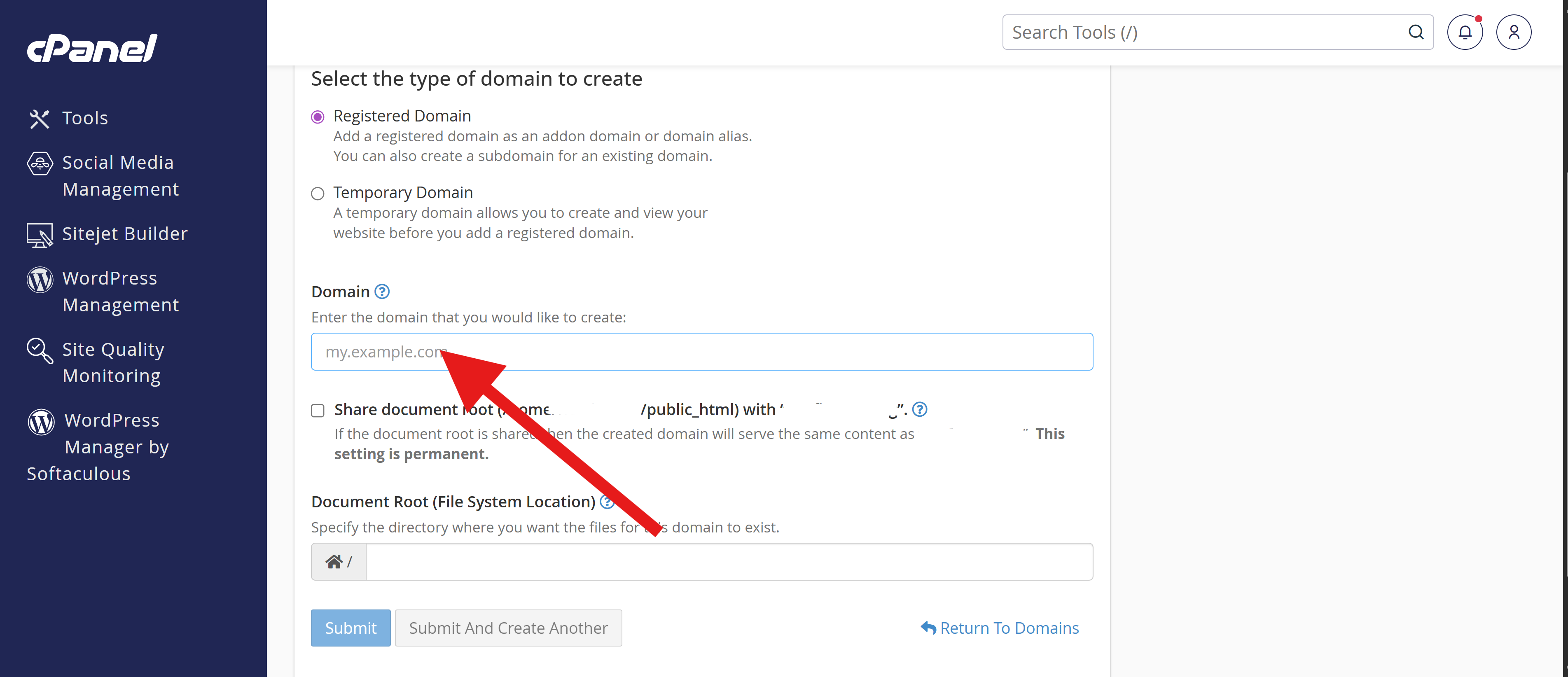
cPanel will automatically fill:
-
Subdomain:
example2 -
Document Root:
/public_html/example2
???? The document root is where the website files will live.